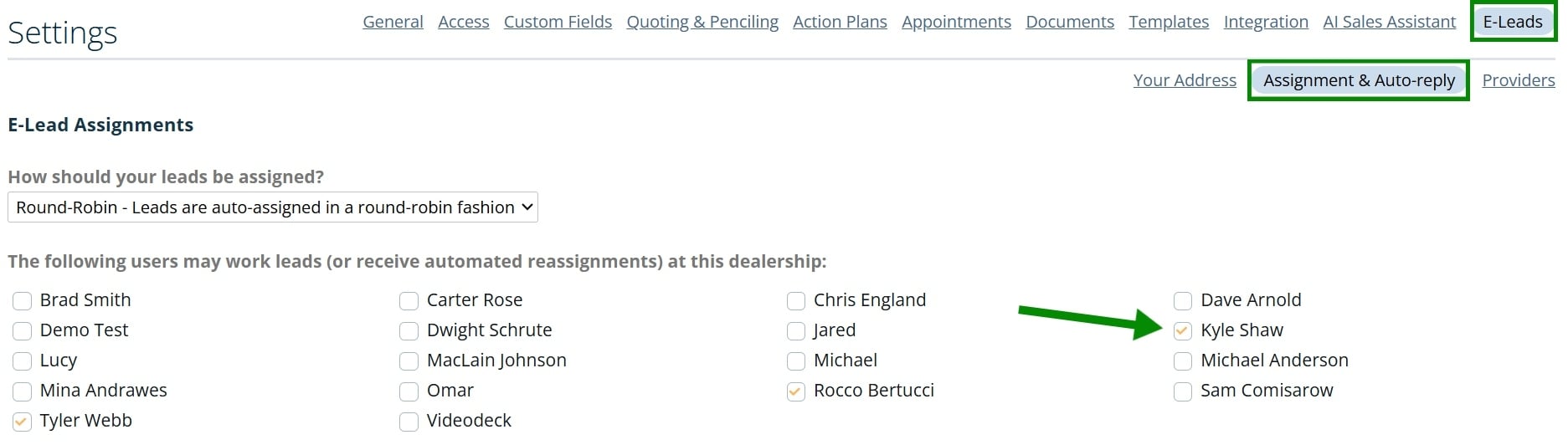
AutoRaptor admins can determine which users are eligible for e-lead assignment.
How to update e-lead assignment:
• Click Settings
• Click the dealership name you want to update
• Open the “E-lead” sub-tab
• Click “Assignment & Auto-Reply”
• Select the users you want to add or unselect users to remove them
• Scroll down and click Save Settings