
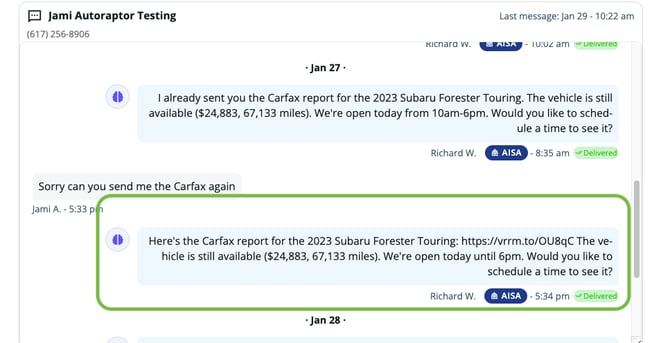
With the Carfax integration, when a shopper asks for a Carfax report, the AI Sales Assistant will instantly respond with a direct Carfax link via text or email. There’s no manual follow-up required, allowing conversations to move smoothly and giving customers the critical vehicle information they need right when they ask for it.
Benefits of Carfax Integration
-
Immediate Response – Customers receive the Carfax report instantly.
-
Improved Efficiency – Reduces manual work for your sales team.
-
Better Customer Experience – Shoppers get the information they need without delays.
-
Higher Engagement – Keeps conversations flowing and leads warm.
How to Enable Carfax Links
Follow these steps to enable Carfax integration in your AutoRaptor account:
-
Go to My Settings in your AutoRaptor account.
-
Click the Carfax tab.
-
Enter your Carfax credentials to enable the integration.
-1.png?width=670&height=188&name=unnamed%20(1)-1.png)
Once connected, the AI Sales Assistant will automatically handle Carfax requests for your leads—no further setup is required.
How It Works
After the integration is enabled:
-
A shopper requests a Carfax report through text or email.
-
The AI Sales Assistant identifies the request and sends a direct link to the Carfax report.
-
Your team doesn’t need to intervene unless the customer has additional questions.
This ensures your leads receive timely vehicle information while keeping your sales workflow efficient.
Best Practices
-
Verify Carfax Credentials – Ensure your Carfax account is active and credentials are correct.
-
Monitor Responses – Occasionally review AI responses to ensure links are sent correctly.