
In this article, you'll learn how to:
- Access the dashboard builder
- Add and arrange tiles
- Save your dashboard
- Reset to the default dashboard
- Understand dashboard permissions
Access the dashboard builder
- In your AutoRaptor account, click your name in the top navigation bar, then click My Settings.
- In the settings menu, click the Home Dashboard tab.
The builder opens with two panels: Available Reports on the left, and Your Layout, a blank canvas, on the right.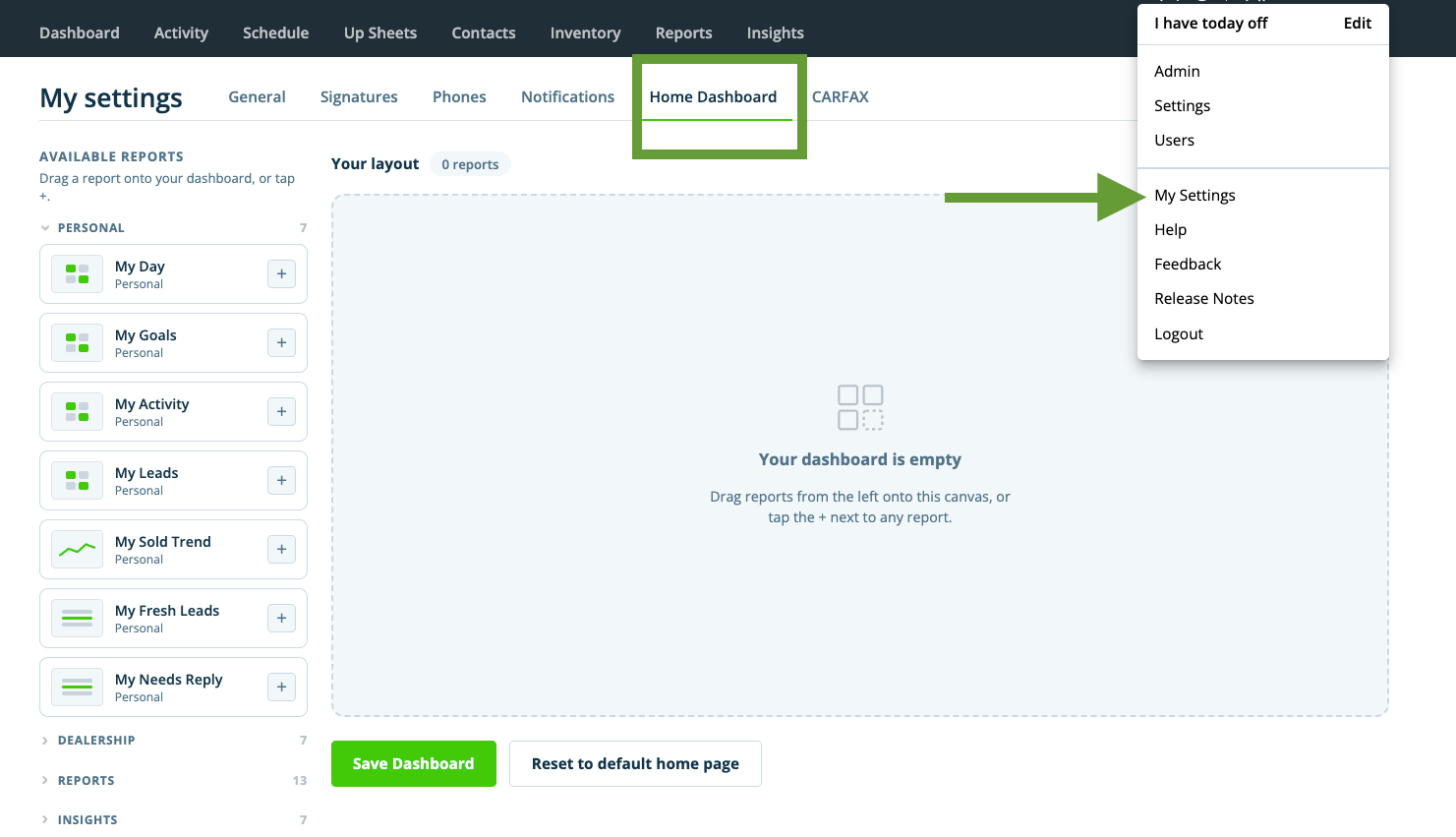
Add and arrange tiles
Tiles are grouped into four categories in the Available Reports panel:
|
Personal |
Dealership |
Reports |
Insights |
|
7 tiles |
7 tiles |
13 tiles |
7 tiles |
To add a tile:
- In the Available Reports panel, find the tile you want to add.
- Drag the tile onto the canvas, or click the + icon on the tile.
- Click and drag the tile's corner to resize it once it's on the canvas.
- Repeat these steps until you've added all the tiles you want.
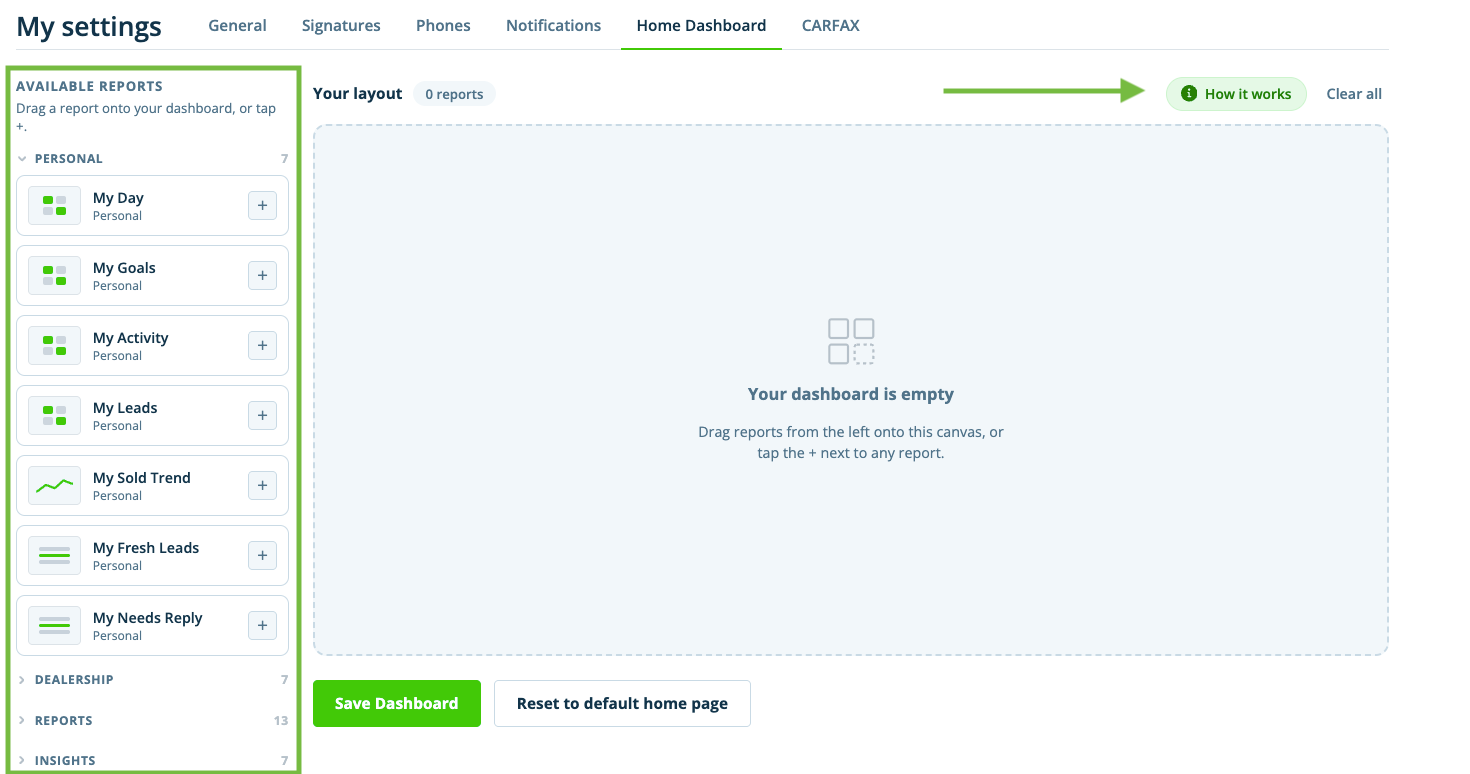
Tip: Click How it works at the top of the canvas at any time for a guided walkthrough of the builder.
Save your dashboard
- Once you're happy with your layout, click Save Dashboard.
Your custom layout becomes your new home page immediately after saving. To start over before saving, click Clear All to empty the canvas.
Reset to the default dashboard
- Go to My Settings > Home Dashboard.
- Click Reset to Default Home Page.
Your home page immediately reverts to the classic AutoRaptor dashboard. You can build and save a custom layout again at any time.
Understand dashboard permissions
Please note: Home page does not change automatically. Your dashboard stays on the classic layout until you personally build and save a custom one.
- Sales reps can only add personal tiles, such as My Leads or My Sold Trend.
- Dealership-wide reports remain manager-only. This is enforced server-side, not just hidden in the interface.