
Below, learn how to set up and use these flexible sales stages and automations.
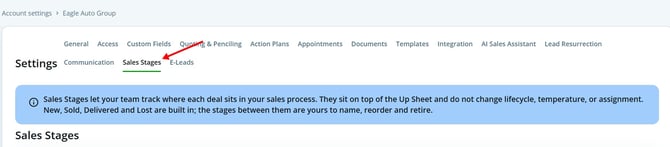
Step 1: Go to your dealership Settings and select Sales Stages.
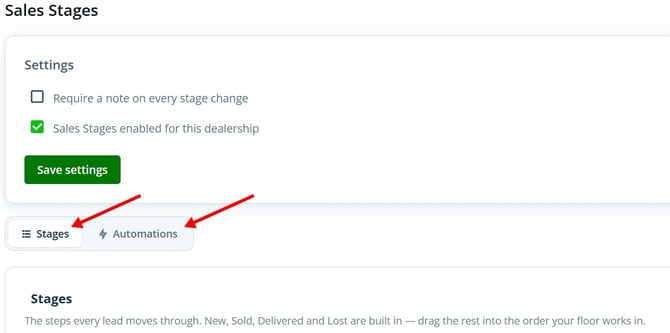
Step 2: Notice two tabs at the top: Stages and Automations.
Managing Sales Stages
Step 1: In the Stages tab, click on any custom stage to rename it, delete it, or add your own stage.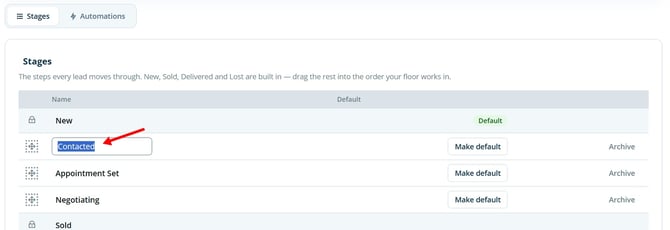
Step 2: Add additional custom stages to match your process.
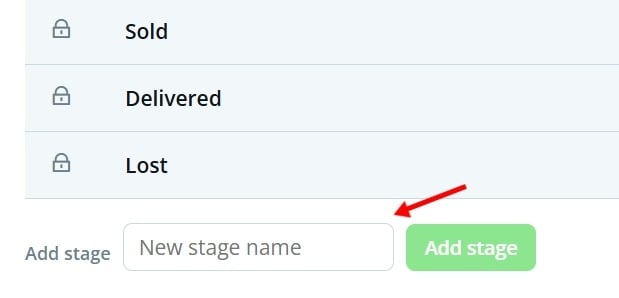
Important: The system stages—New, Sold, Delivered, and Lost—are built-in and can’t be edited or removed.
Step 3: Your custom stages appear throughout the platform: in upsheet lists, filters, group-by views, and always in the order you set.
-jpg.jpeg?width=670&height=219&name=Screenshot%202026-10-08%20171837-jpg%20(1)-jpg.jpeg)
Setting Up Automations
Step 1: In the automations tab, pick a trigger and select the stage you want deals to move to when that trigger happens.
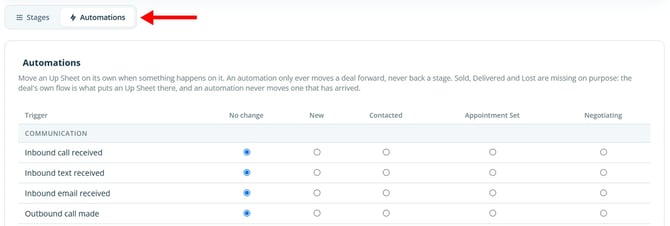
Note: If you don’t want a trigger to update the stage, set it to No Change.
Step 2: Multiple triggers can change the same stage. Automations only move deals forward, never back to an earlier stage. Every automated update appears in the activity log, including which trigger caused it. 
Bulk Updates on Up Sheets
Step 1: In the Up Sheets tab, use the bulk update feature to reassign multiple up sheets from one stage to another.
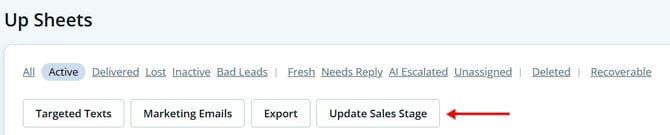
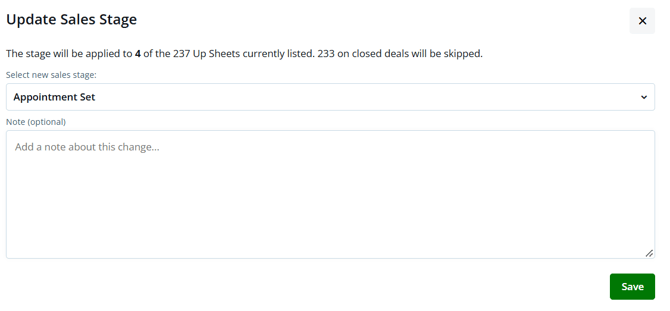
Step 2: Filter your list, then reassign a group of customers (for example, moving them from New to Appointments). 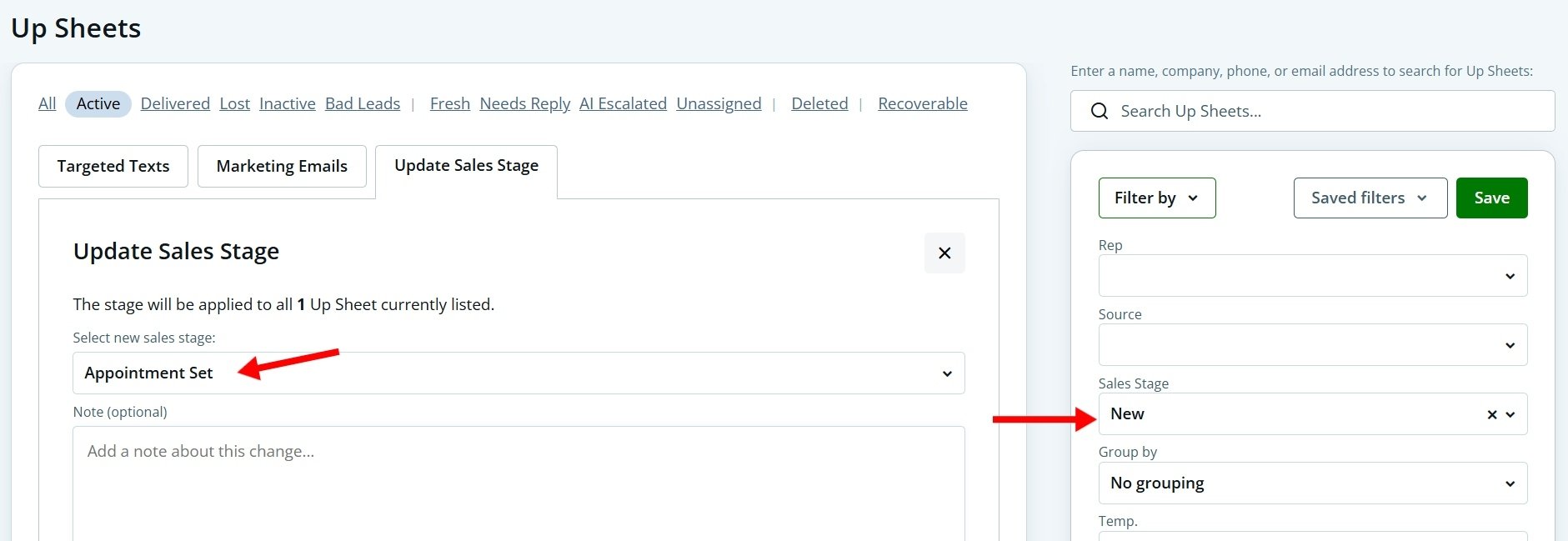
Step 3: Add a note so everyone assigned to an up sheet knows why its stage changed.
Custom sales stages and automations give your team more control and visibility. Set your process once and let your dealership software keep track of every move—accurately and automatically.
Video Walkthrough
Want to see how custom sales stages, automations, and bulk stage updates work? Watch the video walkthrough below for a step-by-step guide.
https://48309173.hs-sites.com/share/video/223853197091
Last updated 10/08/2026