
Available Goals
Monthly goals can be set for the following metrics:
-
Vehicles Sold
-
Vehicles Delivered
How Goal Tracking Works
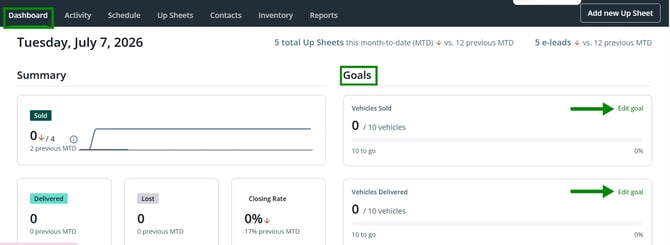
Once goals are set, progress updates automatically as deals move through the system. The Goals section displays:
-
Completed count – how many vehicles you’ve already sold or delivered
-
Remaining count – how many are left to reach your goal
-
Progress percentage – your overall completion percentage toward each goal
This gives instant visibility into performance at any point during the month.
Editing Goals
-
Both sales reps and managers can update goals using the Edit Goal option.
-
If a goal is modified during the month, a note will appear indicating that the goal was edited.
-
This ensures clear visibility and transparency around any changes.
Benefits
-
Real-time performance tracking
-
Clear, visible targets for the entire month
-
Transparent goal updates
-
No additional manual work required
The Goals feature is designed to make performance tracking simple, visible, and actionable, helping sales teams stay motivated and on track.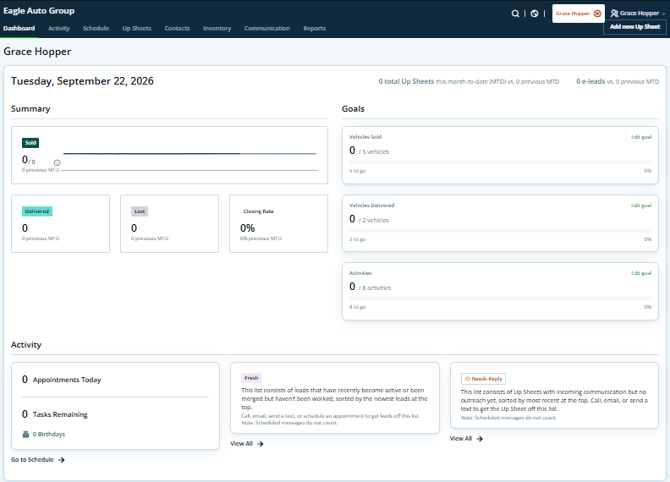
Set Your Goals
To create your monthly sales goals:
- From your dashboard, locate the Goals section.
- Click Set Goal.
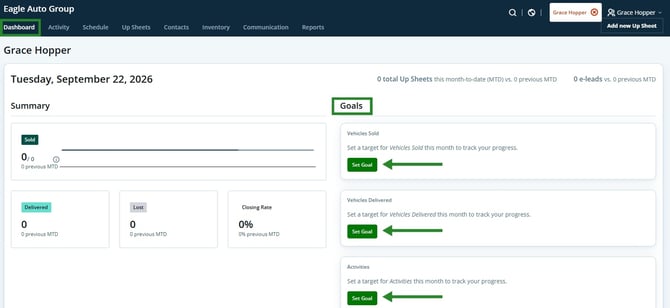
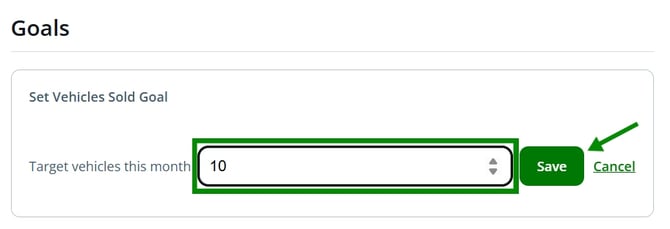
- Enter your target amount for the goal you want to track.
- Click Save.
Once saved, your goal will appear in the Goals section, and your progress will automatically update throughout the month as vehicles are sold or delivered.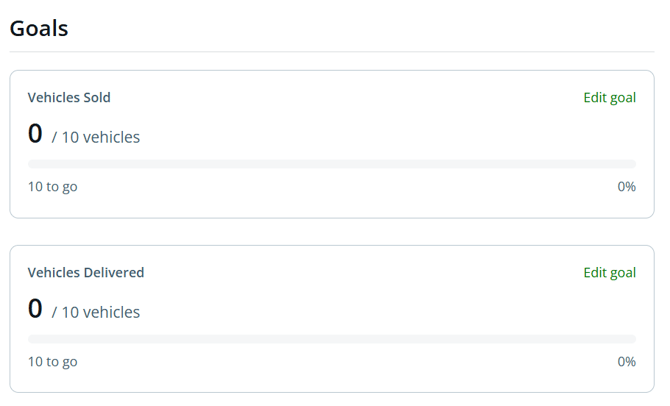 Once your goals are set, you can edit them at any time
Edit Your Goals
You can update your monthly goals at any time from your dashboard.
- From your dashboard, locate the Goals section.
- Click Edit Goal.
- Update the target amount for the goal you want to change.
- Click Save.
-jpg.jpeg?width=670&height=215&name=Screenshot%202026-07-07%20221955%20(1)-jpg.jpeg)
Your updated goal will immediately be reflected in the Goals section, and your progress will automatically recalculate based on the new target.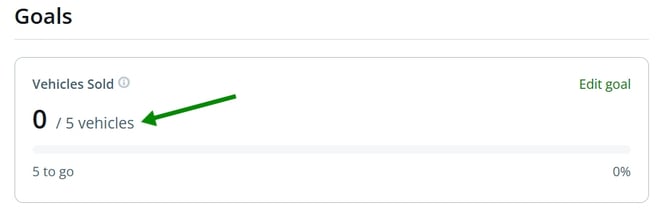
Note: Both sales reps and managers can edit goals at any time.
Last updated 09/29/2026