
Let’s break down how the Equity Mining Report works and how you can put it into action.
Step 1: Open the Equity Mining Report.
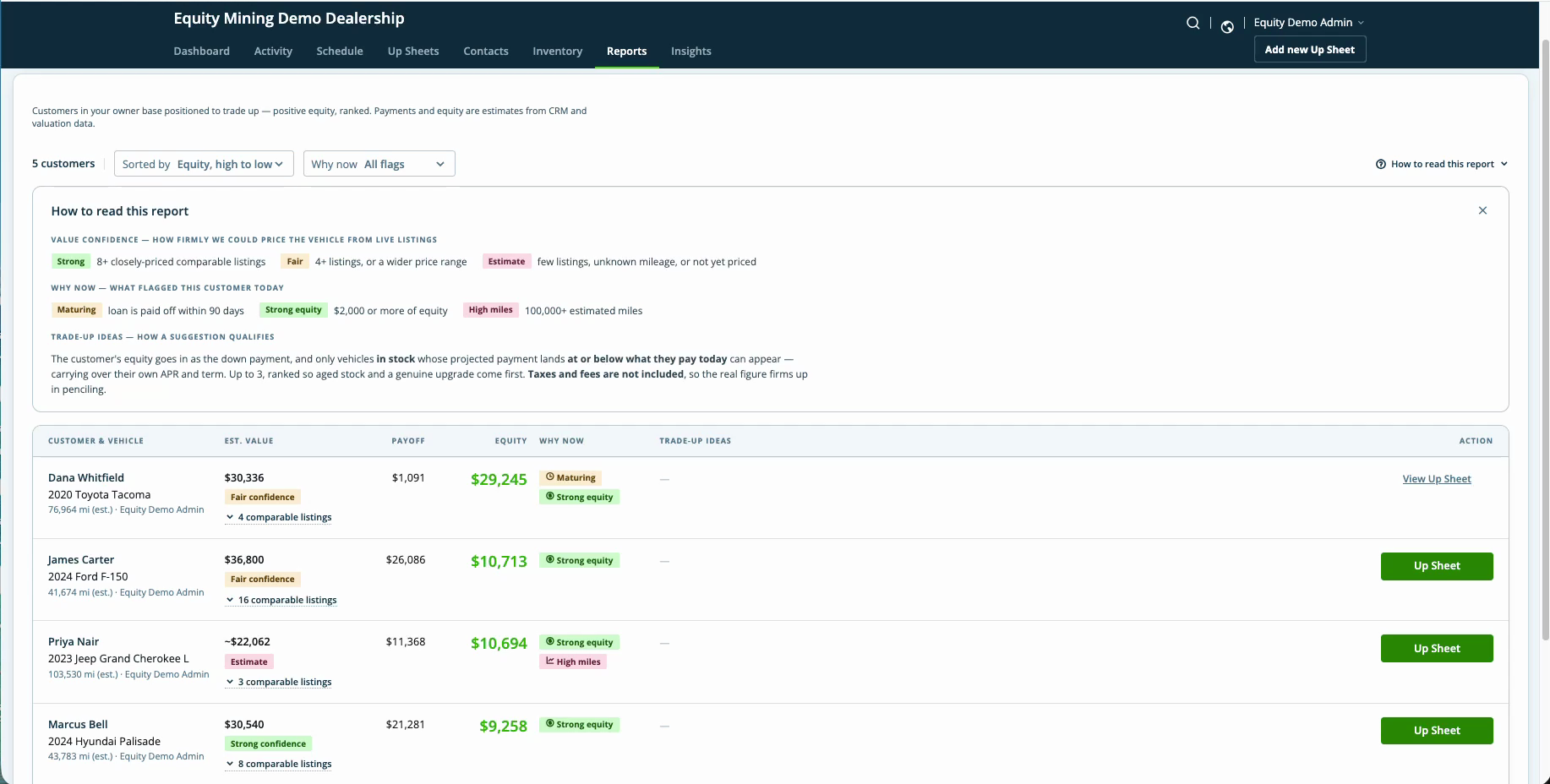
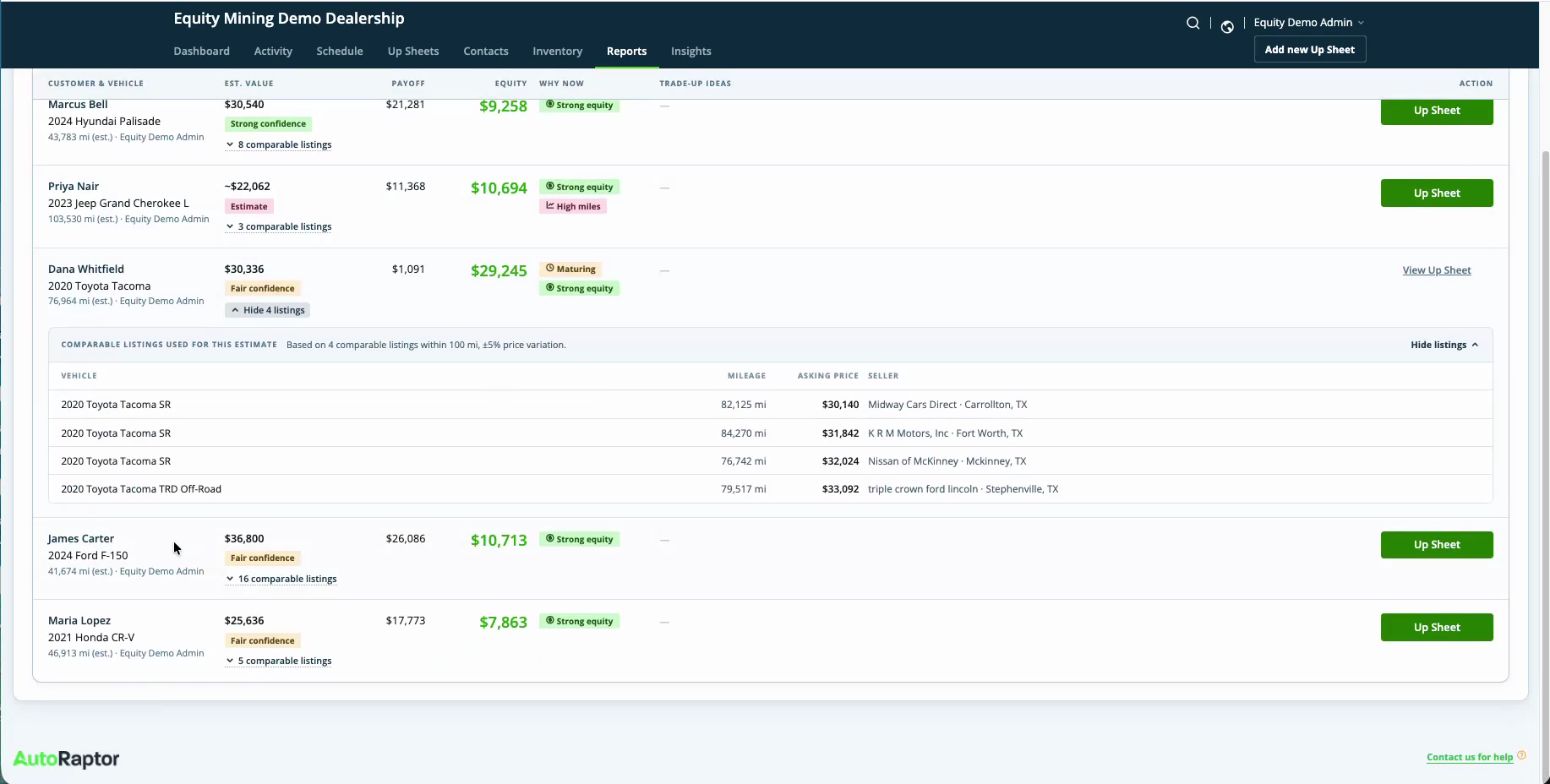
Step 2: Review the list of customers sitting on equity. The report finds everyone whose vehicle value is higher than their loan balance.
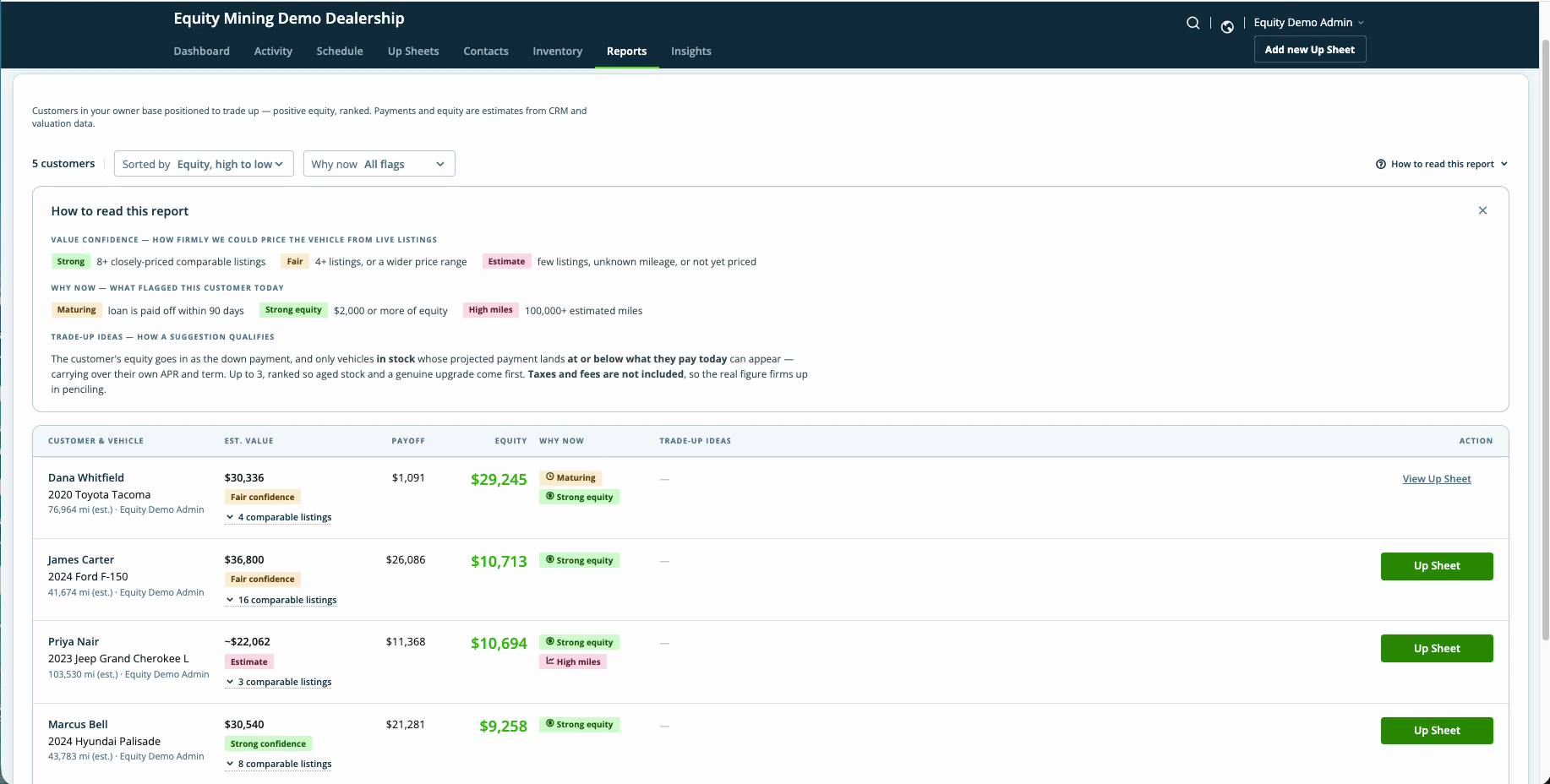
Step 3: Check how customers are ranked. Results show highest equity first, but you can also switch to Recently Valued to see who’s been priced most recently.
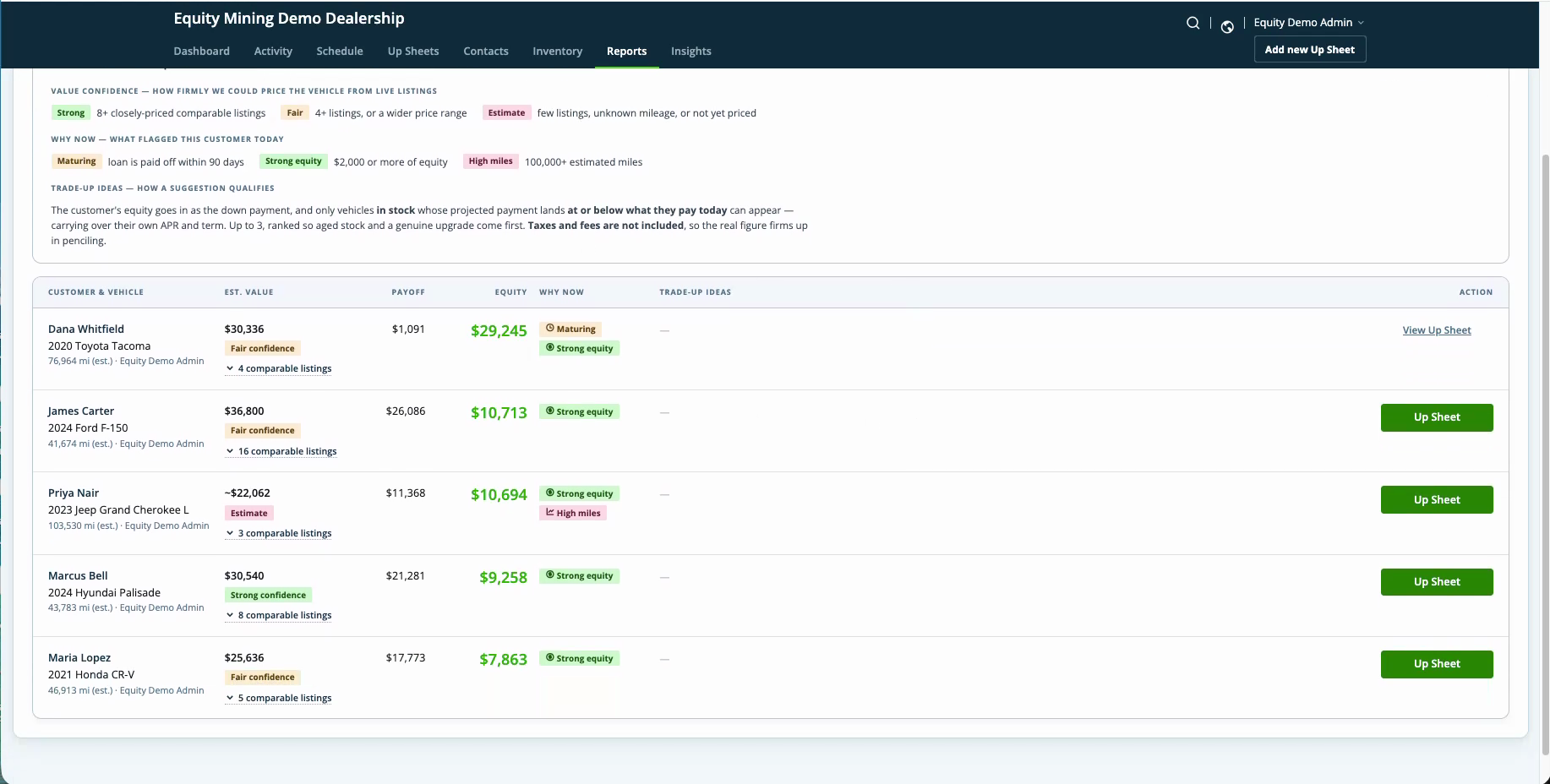
Step 4: Use filters to focus your search. Sort by:
- Maturing: Loans about to finish
- Strong Equity: Biggest equity gaps
- High Miles: Vehicles with high mileage
Stay on All Flags to view the complete list.
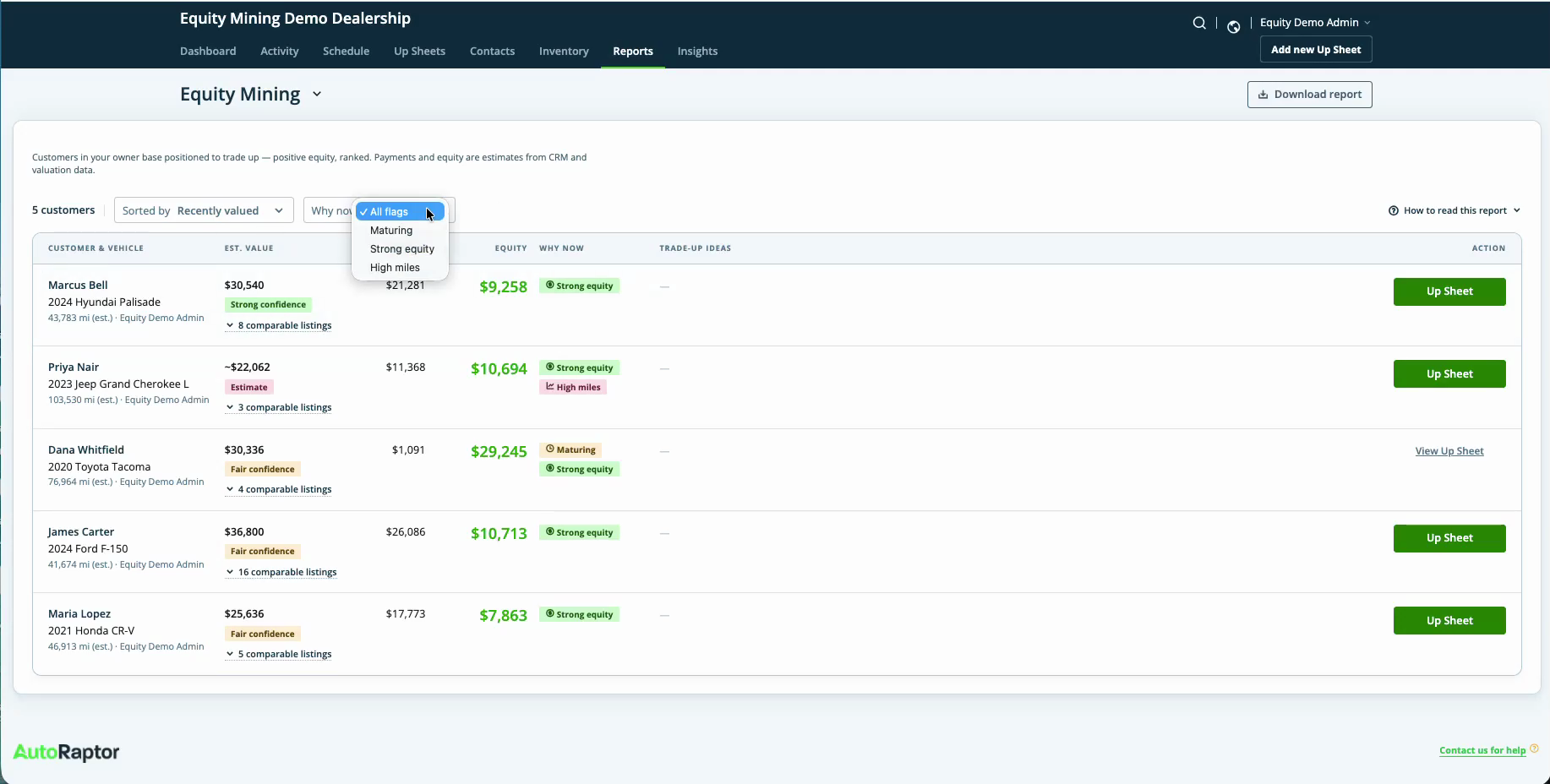
Step 5: Look at the Value Confidence score. This tells you how reliable the vehicle’s estimated value is, based on market listings and available data.
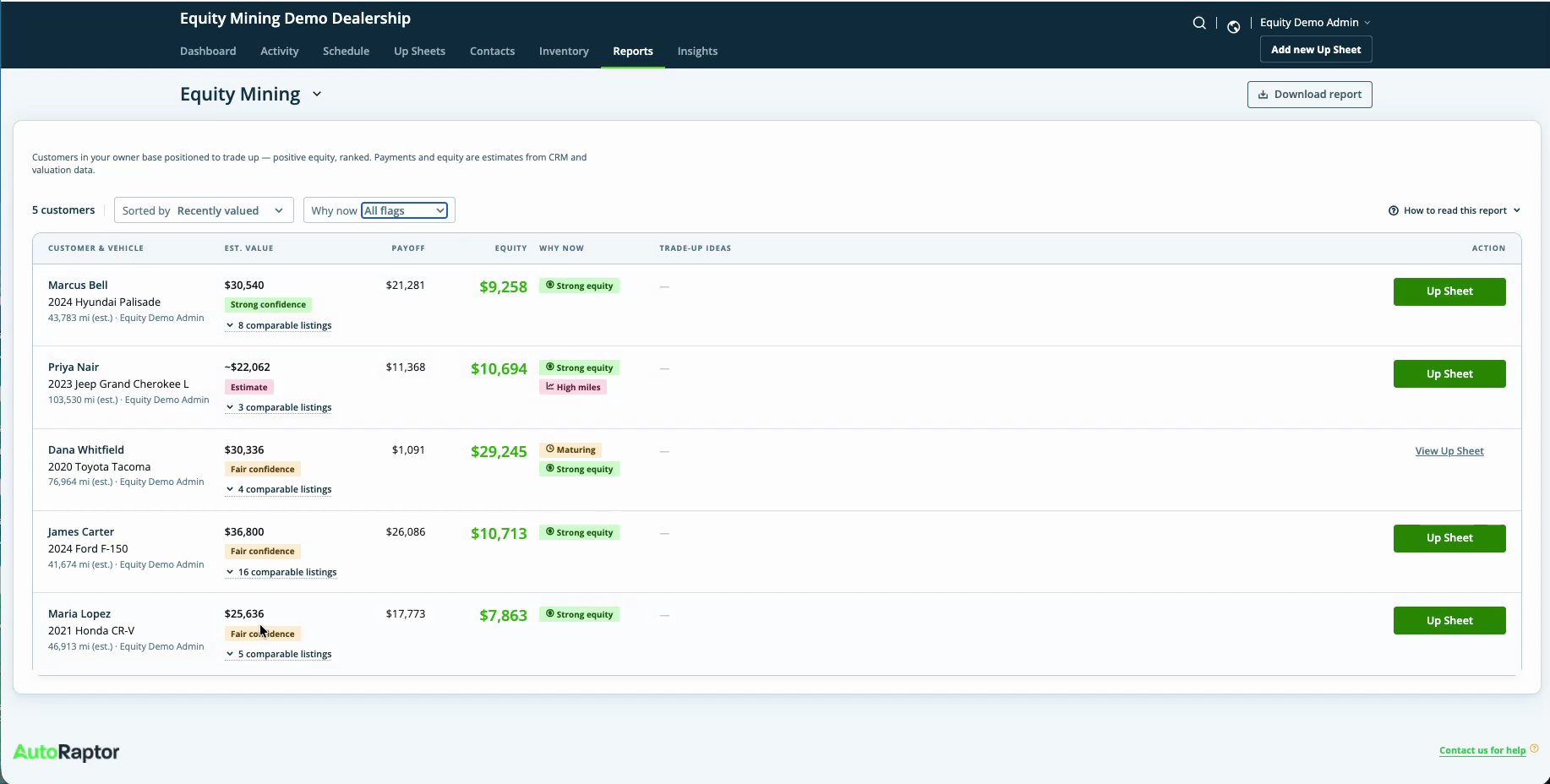
Step 6: Read the flags assigned to each customer. Flags highlight why a customer appears in the report, like maturing loan, strong equity, or high miles.
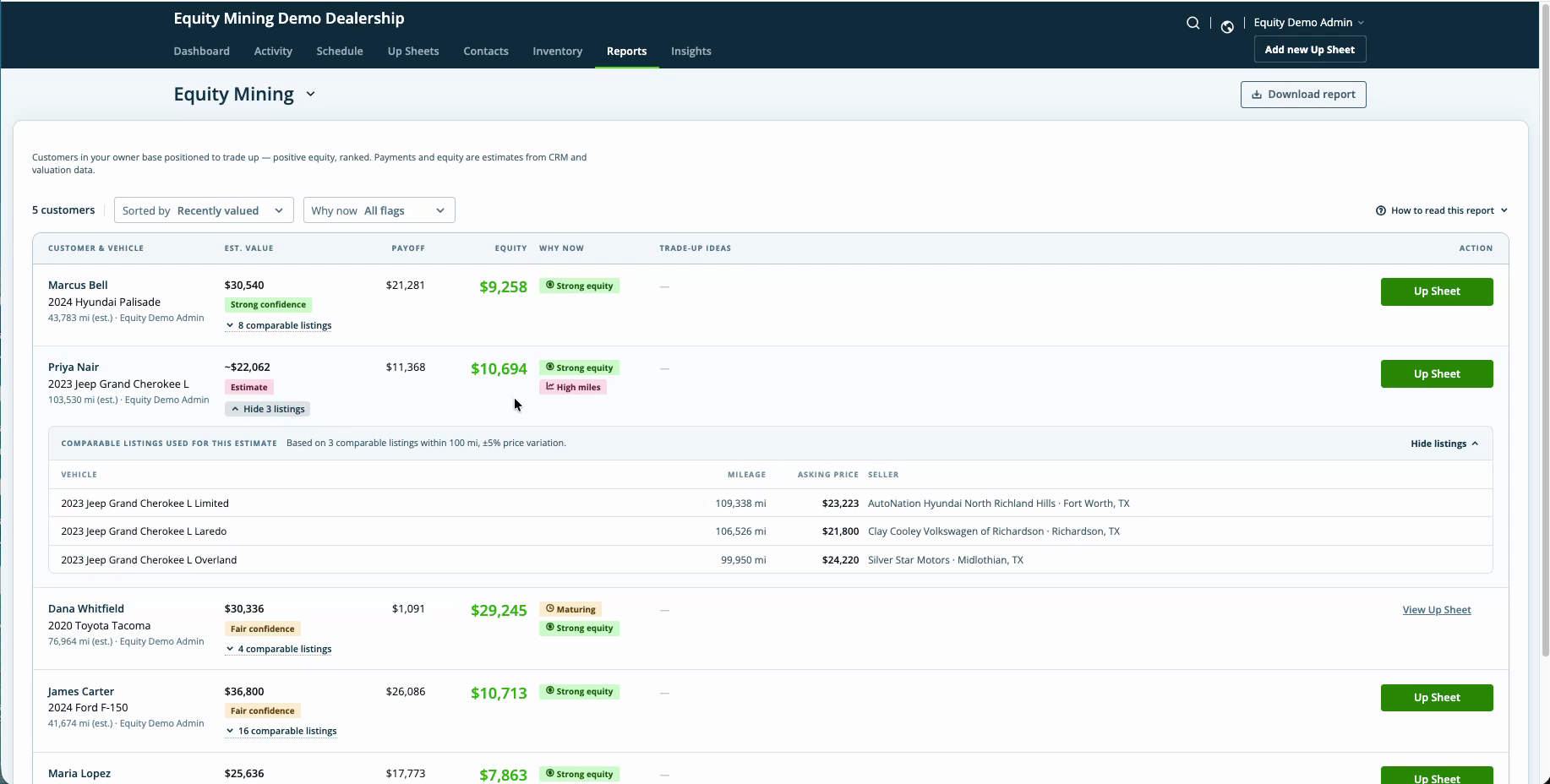
Step 7: Check Trade Up Ideas. This feature suggests in-stock vehicles the customer could buy, keeping payments the same or lower using their equity as a down payment.
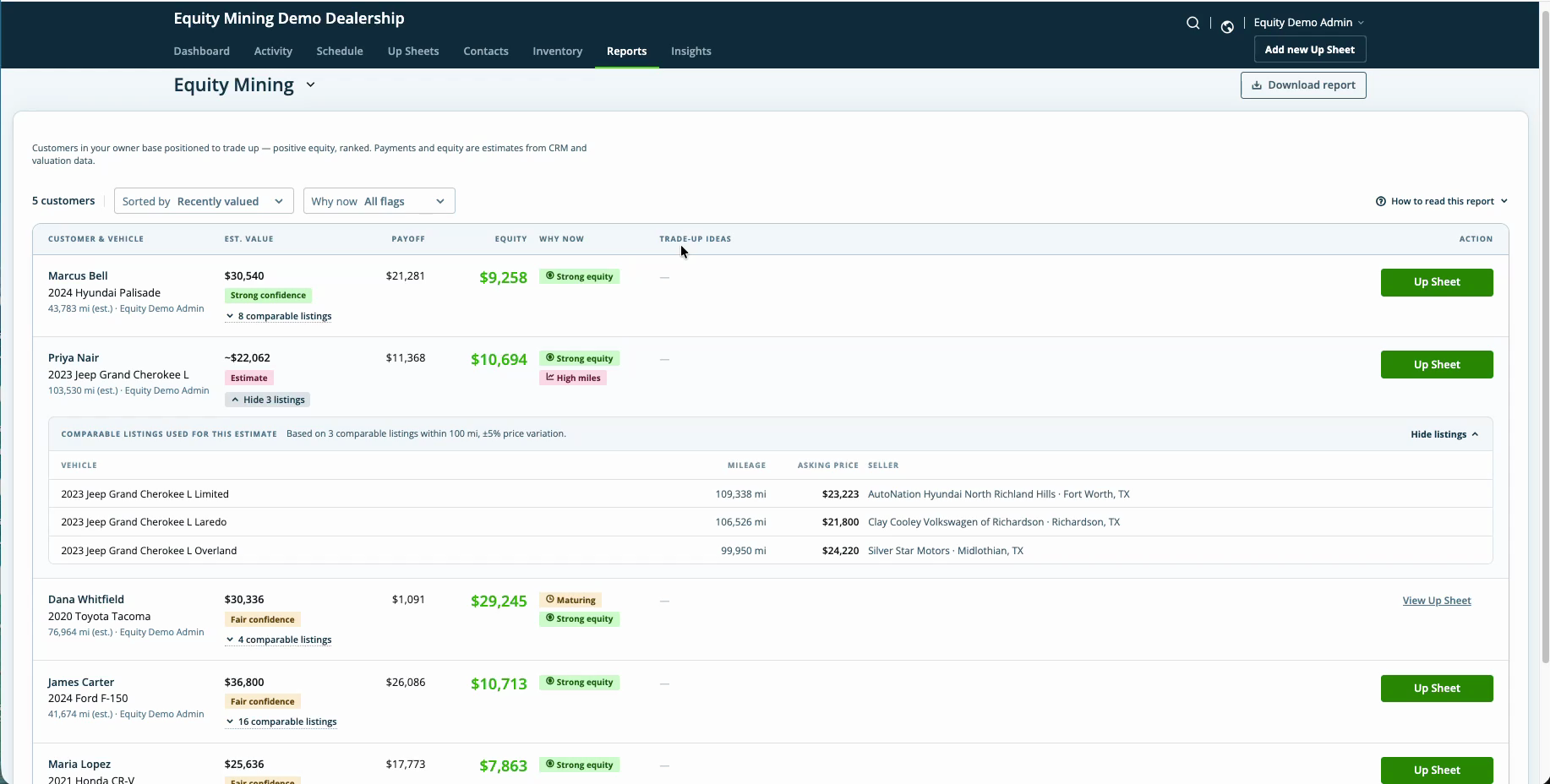
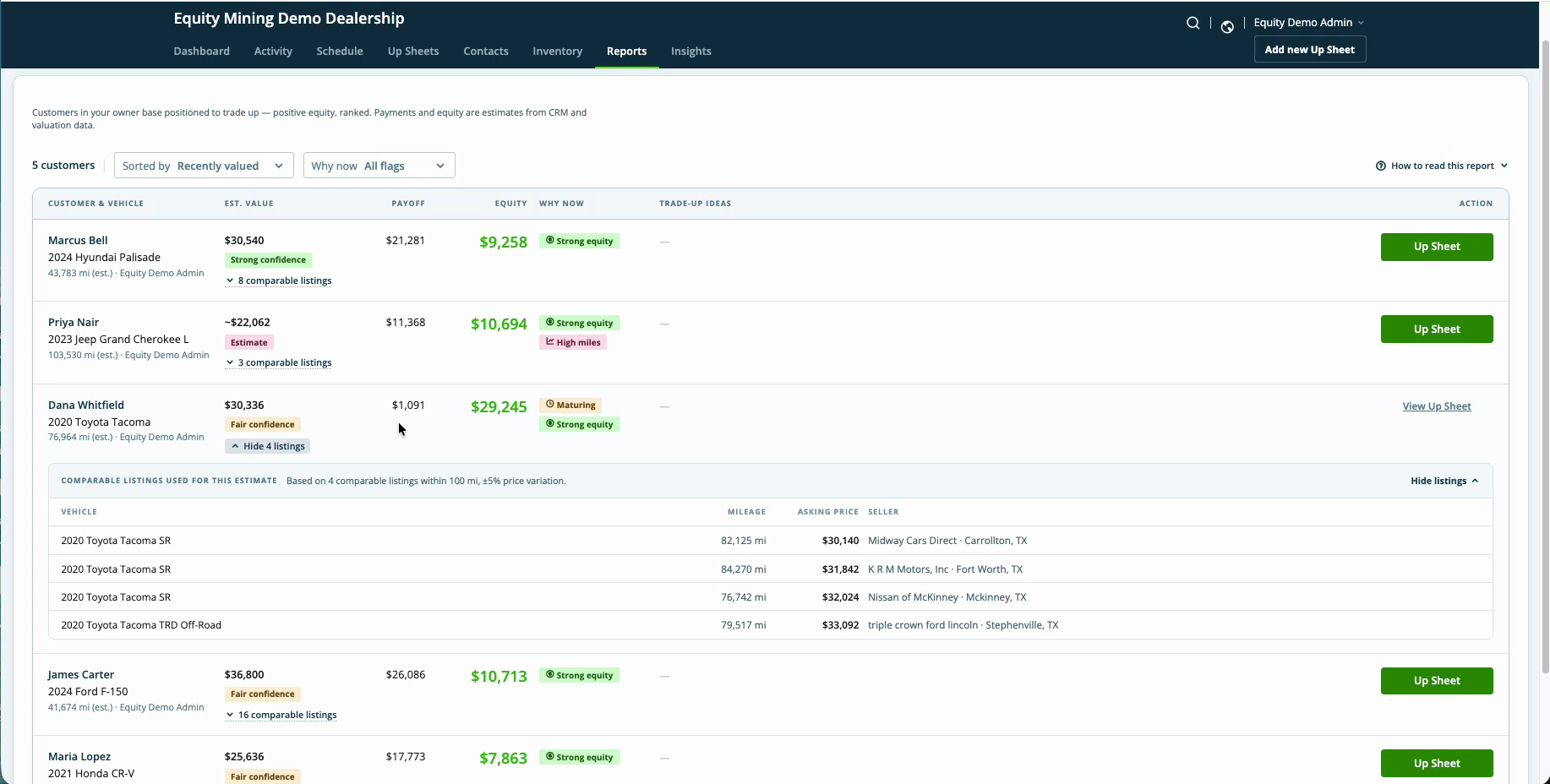
Step 8: Open an individual customer row to see specifics. For example, Donna Whitfield’s vehicle information, loan details, and equity amount display in the row.
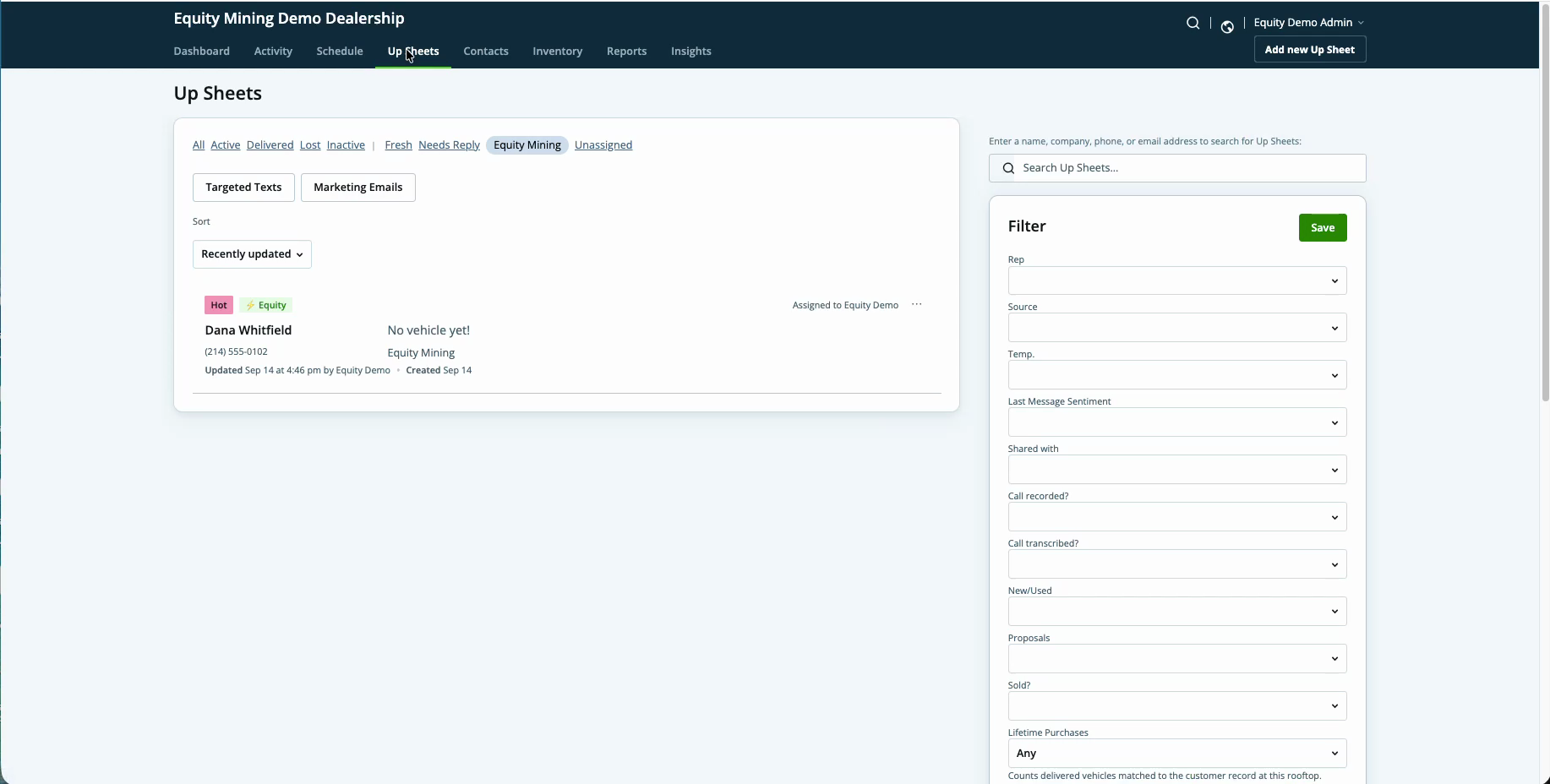
Step 9: See what action to take. Click View Up Sheet if one already exists, or Add a New Upsheet if not. An upsheet records customer discussions and keeps everything organized.
Note: Clicking “Add New Upsheet” pulls in existing data to link related deals and reports, even if there is no current ACTIVE Upsheet. 
Keeping Data Updated
Step 1: Make sure every delivered vehicle has a completed upsheet with the latest financial data.
Step 2: If your dealership is connected to a DMS provider, AutoRaptor updates data automatically. Otherwise, add financial details manually so the report remains accurate.
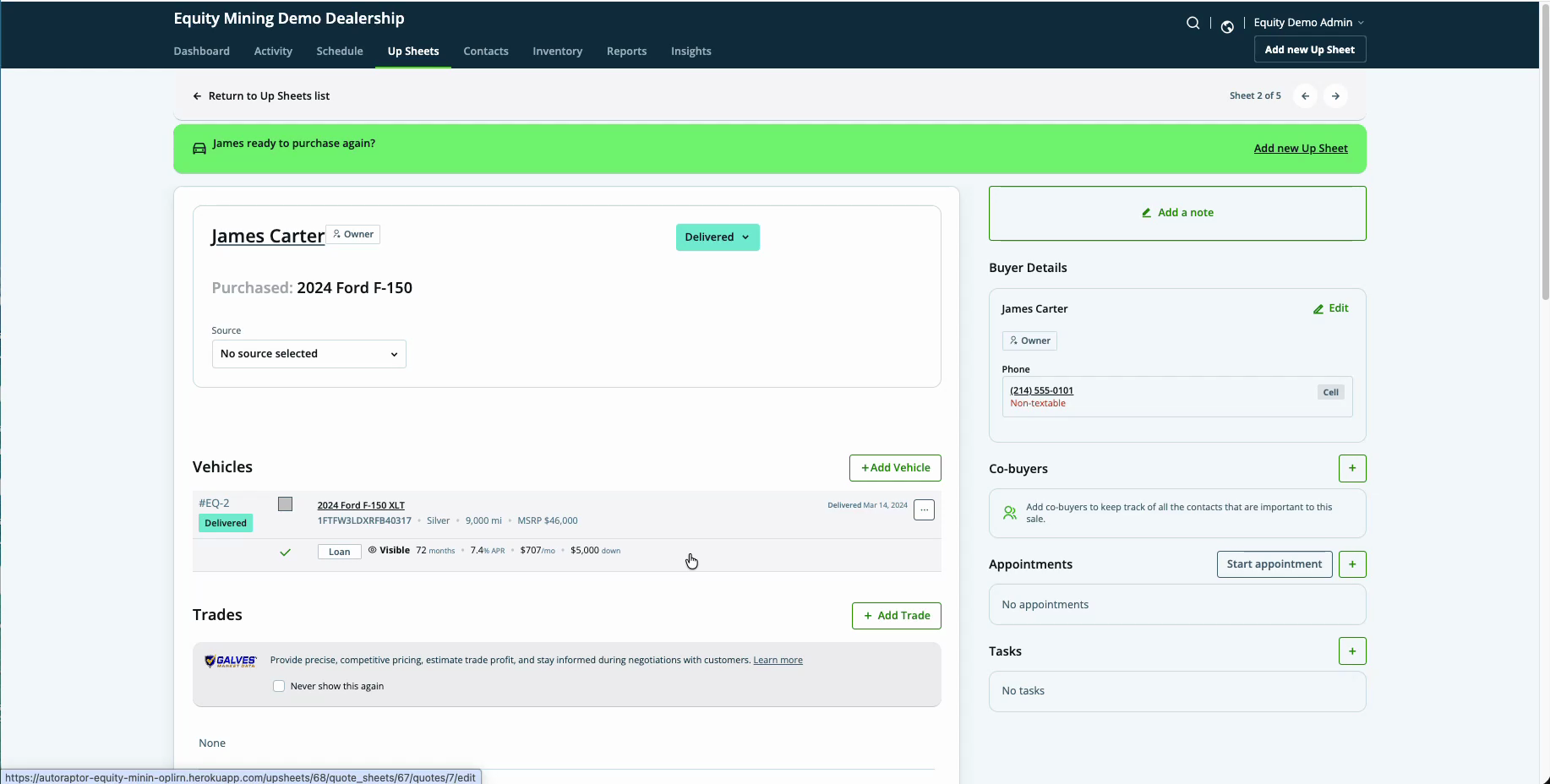
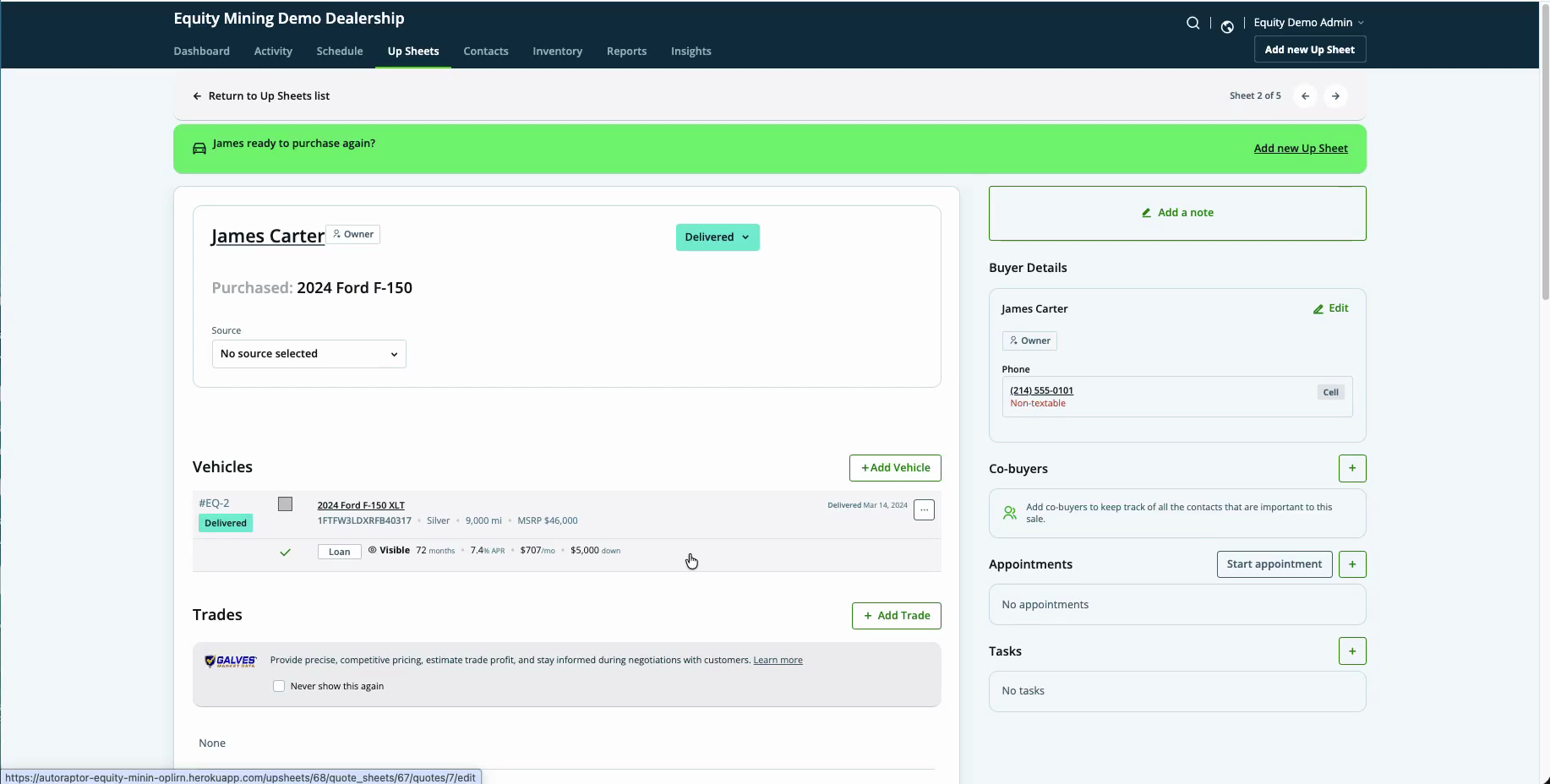
Step 3: Always mark the upsheet as Delivered with correct financial info whenever a customer completes a purchase or trade.
Equity mining in AutoRaptor turns hidden opportunities into easy conversations. Stay on top of your equity opportunities and connect with customers before they even start shopping elsewhere. Feedback and proactive outreach help you get more trades and sell more cars without the busywork.
Watch the Video
Want to see the Equity Mining Report in action? Watch the video below for a step-by-step walkthrough of how to find equity opportunities, review customer details, and identify potential trade-up opportunities.
https://48309173.hs-sites.com/share/video/222732458056
Last updated 09/25/2026