
Note: This article walks through each number using one real dealership day (10/13/2026, rep names changed). From the table you can open Manage Lead Assignment to adjust a rep's settings.
Walkthrough
1. The table at a glance
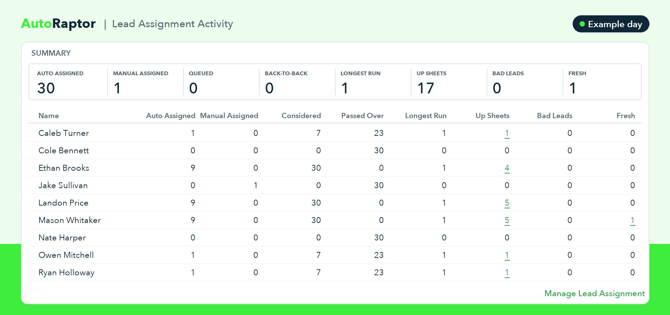
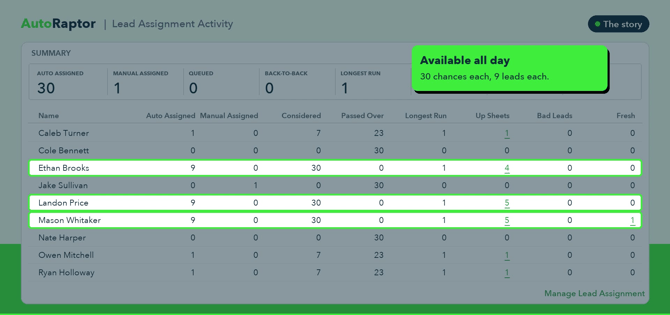
The Summary row at the top totals the day: Auto Assigned, Manual Assigned, Queued, Back-to-Back, Longest Run, Up Sheets, Bad Leads and Fresh. Below it, each rep gets a row with Auto Assigned, Manual Assigned, Considered, Passed Over, Longest Run, Up Sheets, Bad Leads and Fresh.
2. Auto Assigned, Manual Assigned and Queued
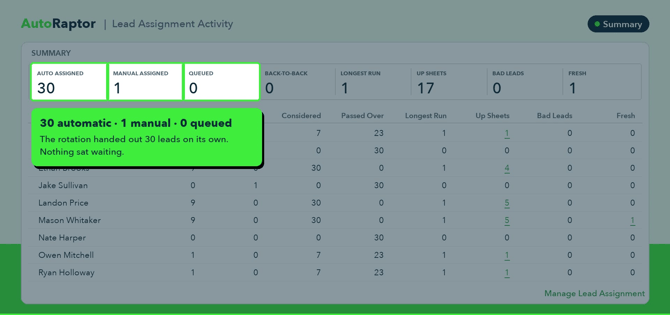
These three tiles show how leads went out. In the example, 30 leads went out automatically, 1 was assigned by hand, and none waited in the queue.
3. Back-to-Back (summary tile)
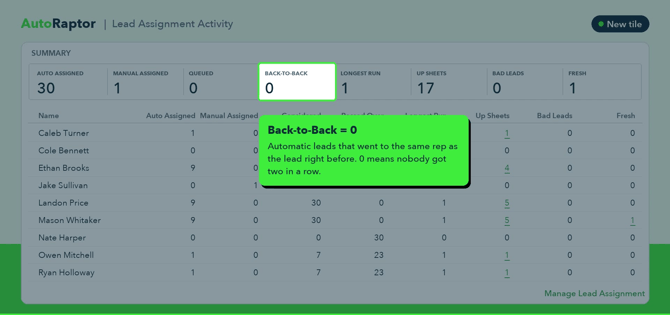
Back-to-Back counts automatic leads that went to the same rep as the lead right before. 0 means the rotation never gave anyone two in a row.
4. Longest Run (summary tile)
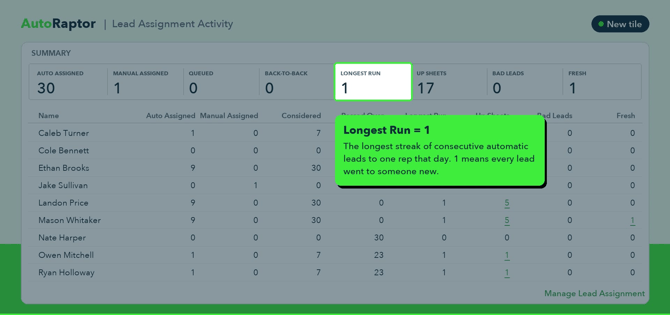
Longest Run is the longest streak of consecutive automatic leads to one rep that day. 1 means every lead went to someone new.
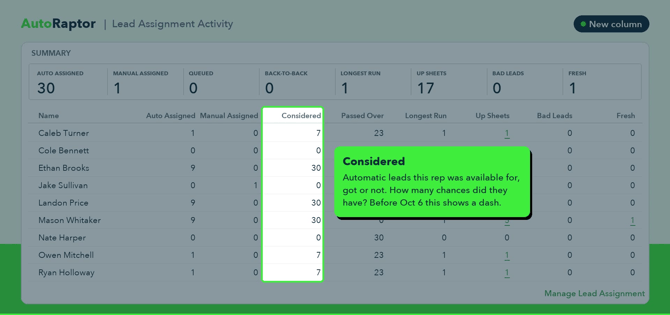
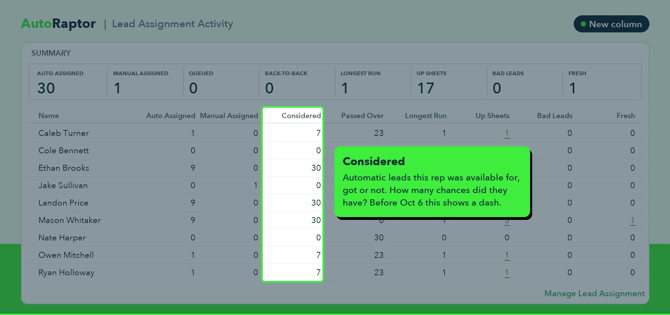
5. Considered (rep column)
Considered is the number of automatic leads a rep was available for, whether they got the lead or not. In other words, how many chances they had. Days before Oct 6 show a dash, because recording started then.
6. Passed Over (rep column)
Passed Over counts leads handed out while the rep was unavailable: clocked out, Busy, off schedule, or not accepting leads. Queued leads that nobody was available for don't count.
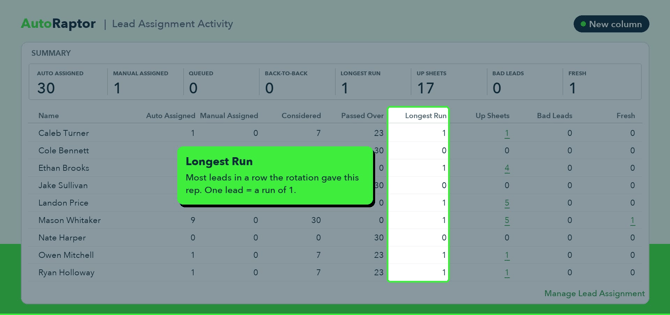
7. Longest Run (rep column)
Per rep, Longest Run is the most leads in a row the rotation gave that rep. One lead counts as a run of 1.
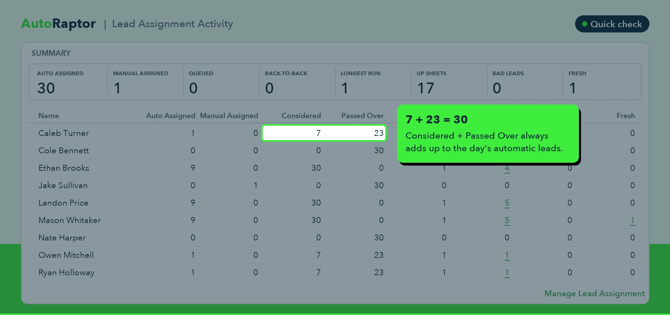
8. Quick check: Considered + Passed Over
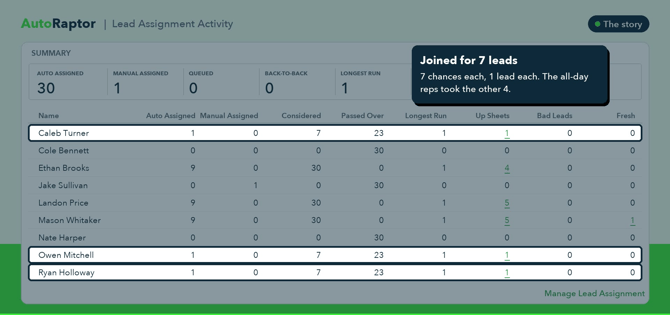
For every rep, Considered plus Passed Over always equals the day's automatic leads. In the example, Caleb Turner shows 7 + 23 = 30.
9. Reading the example day
Available all day: Ethan, Landon and Mason were available for all 30 leads, so each got 9.
Joined for 7 leads: Caleb, Owen and Ryan were in rotation for 7 leads and got 1 each. The all-day reps took the other 4.
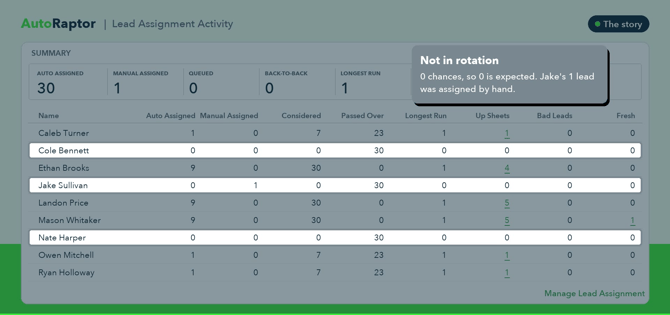
Not in rotation: Cole, Jake and Nate weren't available for any automatic lead, so 0 is expected. Jake's 1 lead was assigned manually.
The result: 9 + 9 + 9 + 1 + 1 + 1 = 30. No repeats, no streaks, and leads followed availability. This rotation was fair.
When you review a day, check three things
- Is Back-to-Back above 0? Someone got two automatic leads in a row.
- Is anyone's Longest Run above 1? Find out who and why. Often they were the only rep available.
- Lots of chances, few leads? A high Considered with a low Auto Assigned is worth a closer look.
If something looks off, open Manage Lead Assignment and review that rep's settings.
Video walkthrough
Here is the video walkthrough:
https://48309173.hs-sites.com/share/video/224294295972
Last updated 11/27/2026