
Objective
This SOP outlines the steps to effectively target, text, or market email a group of customers while adhering to messaging limitations.
Key Steps:
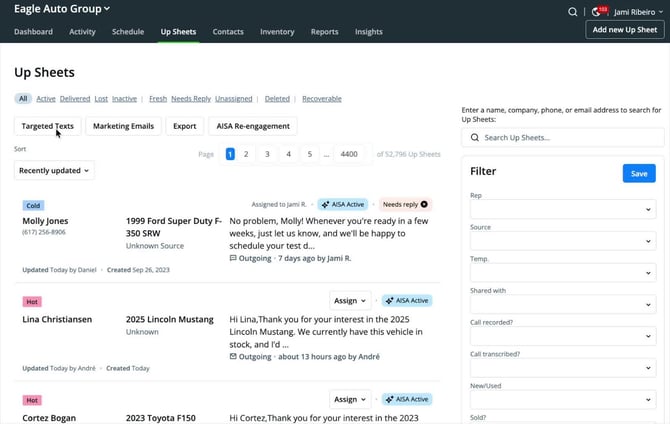
Step 1: Understand Messaging Limitations
-
You can send a maximum of 2,000 text messages to T-Mobile customers per day.
-
There is no way to identify which customers are T-Mobile.
Step 2: Create Targeted Lists Using Filters
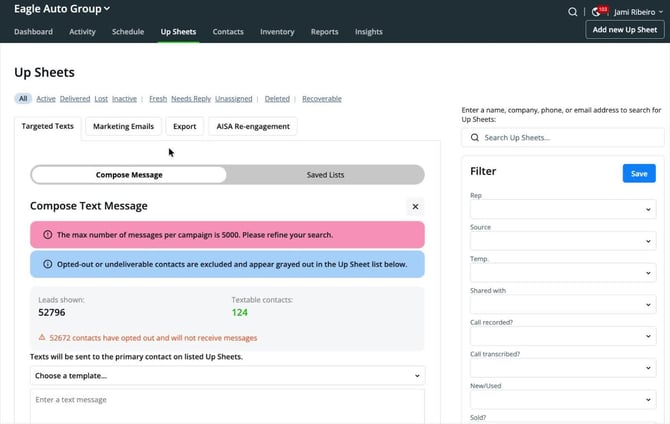
- Use filters to create smaller, targeted lists.
- Consider filtering by:
- Source
- Sales representative
- Vehicle type
- Avoid sending messages to large groups (e.g., 52,000 customers).
Step 3: Be Intentional with Your Target Audience
.jpg?width=670&height=425&name=unnamed%20(2).jpg)
- Define your target audience clearly.
- Examples include:
- Active customers interested in a specific vehicle (e.g., Honda).
- Customers who inquired during a specific time frame.
Step 4: Save Your Filtered List
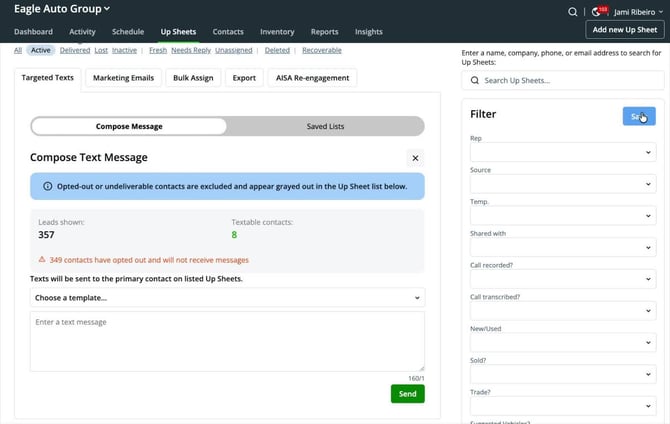
- After filtering, save your list in Autoraptor.
- Label your list appropriately (e.g., 'Honda Active Leads').
- This allows for easy access in the future and keeps track of contacted customers.
Step 5: Compose Your Message
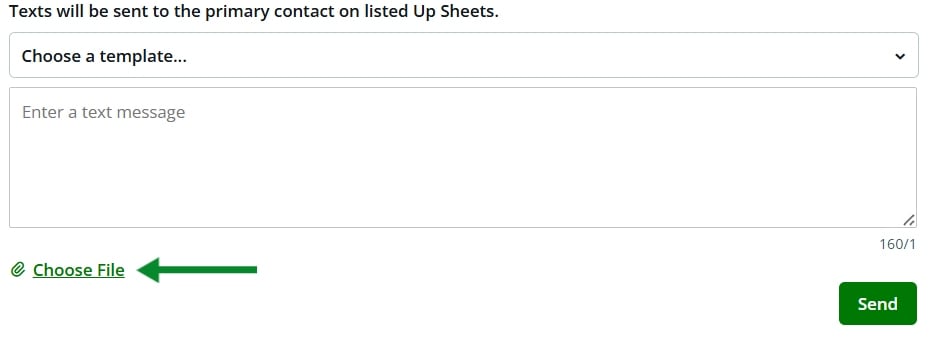
- Click on the saved list to access the compose message area.
- You can:
- Use a pre-written template.
- Write a custom message.
- Add images or videos
Step 6: Monitor Your Daily Message Limit
- Ensure your list is small to avoid exceeding the 2,000 messages per day limit.
- Exceeding this limit will halt all texting capabilities for the day.
Step 7: Email Marketing Considerations
- Email marketing has fewer limitations compared to texting.
- Use filters and save lists as you would for texting.
- Depending on your AutoRaptor package, you may have up to 5,000 email credits per month.
Step 8: Request Additional Email Credits if Needed
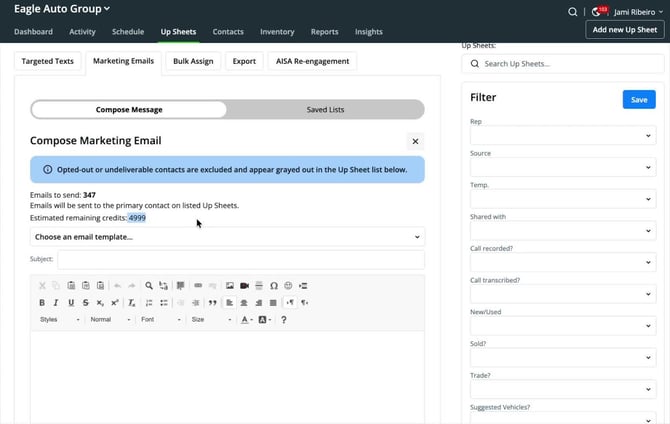
- If you require more than 5,000 email credits, contact support to purchase additional credits.
Cautionary Notes
- Always ensure compliance with messaging limits to avoid service interruptions.
- Be mindful of customer preferences and privacy when sending messages.
Tips for Efficiency
- Regularly update and maintain your saved lists for quick access.
- Use templates for common messages to save time.
- Schedule your messaging to avoid last-minute rushes.