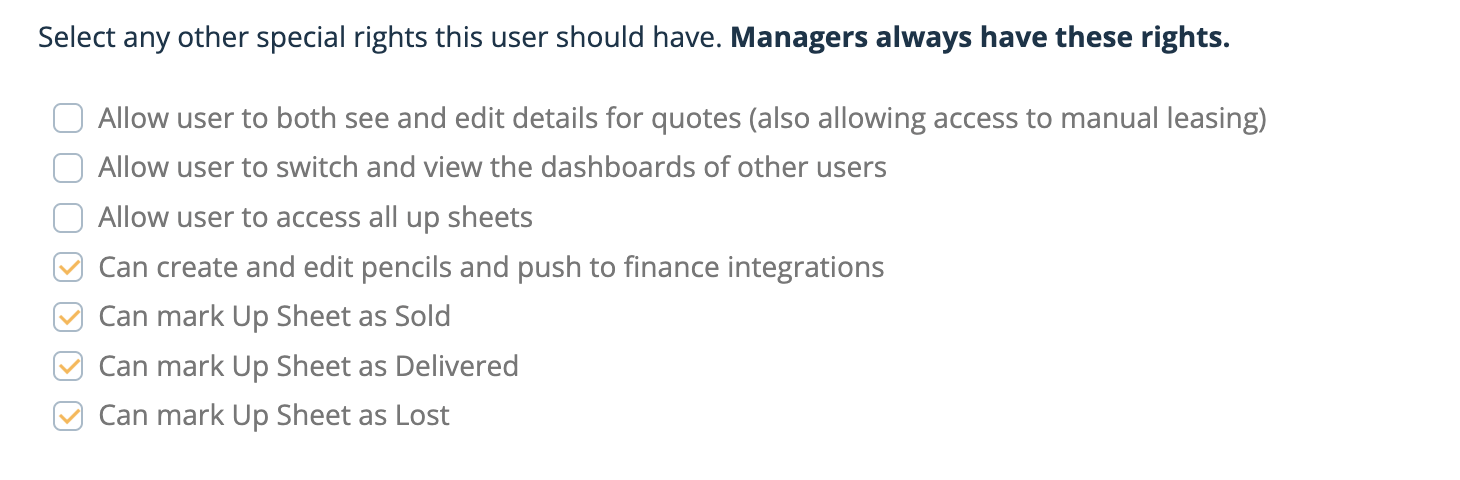
An admin setting designed to give dealerships greater control and consistency when marking Up Sheets as Lost.
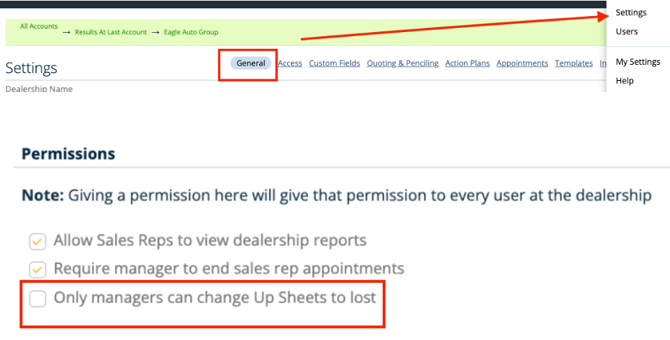
With this setting enabled, only manager-level users can mark an Up Sheet as Lost.
This helps maintain consistency, improve data accuracy, and ensure proper oversight within your sales workflow.
How to enable this setting
-
Navigate to Admin Settings
-
Open the General tab
-
Check the option to restrict the “Lost” status to managers
Once enabled, non-manager users will no longer be able to mark Up Sheets as Lost.
Note: If additional users need the ability to mark an Up Sheet as Lost, this permission must be enabled for each user individually.